
Download
1 variant available


10.5K
132.5K
1.3M


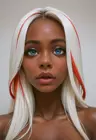

Prompt Studio brings character creation, scene writing and image generation into a clean, compact ComfyUI workflow.
Build reusable characters with detailed controls for appearance, age, ancestry, hair, eyes, skin, body shape, clothing, expression and pose. Save them as presets and attach a reference thumbnail from your own images or a generated result. Editable display-image prompts help you create matching character portraits and full-body references.
The bundled wildcard library gives you a large selection of choices for each field, organized into useful subcategories. Type to search, browse the lists, generate a random choice or cycle through options with Previous and Next. Combine several lists to create your own selection pool, and lock individual traits while varying the rest. General lists have been cleaned up to remove entries already covered by named groups, while All retains the complete collection.
Prompt Detail handles the surroundings and visual direction: framing, camera angle, lens, lighting, location, weather, atmosphere, style and more. Include switches let you decide what enters the prompt without deleting your settings. Clear individual fields, choose which traits to vary, or disable whole sections to keep a description focused.
Write your scene in ordinary language and select which connected characters and details to include. The composer adds their descriptions with clear wording for traits such as eye color and hair color. Multiple characters are supported, and supported affectionate interactions can adapt to their individual poses and selected roles.
The compact example keeps model selection inside the Scene Editor and combines generation controls with a Resolution Calculator. Choose image size, aspect ratio, batch size and sampling settings, with an option to use a new seed each run. Images appear in a separate output node with a checkbox for saving or previewing results.
The prompt-building nodes produce text suitable for models that respond well to natural language descriptions, and their output can be connected to other workflows. The included compact generation example is configured for Krea 2.
This project is not perfect and I will continue working on it. But it does make it very fast to get some inspiration and variation in prompts, feedback welcome and I hope you enjoy!
Install
put the folder in ComfyUI’s custom nodes folder. The compact example requires ControlAltAI-Nodes for the Resolution Calculator, plus compatible Krea 2 model, text encoder and VAE files.