Download
1 variant available


23
81
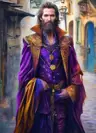

A deceptively simplish workflow to generate expressions for Silly Tavern characters - or just a set of expressions for whatever characters you want to.
It's inspired in this workflow by @KazumaOniisan but I decided to let go of Facedetailer and instead rely in the more modern SAM3 - that also allows for one background removal pass.
How do you use it?
Load an image of the character, ideally a close up shot with a neutral expression.
Write the character name in the required node. That will create a folder in comfyui/output folder where all images will be save to and which you can later copy straight to ST SillyTavern-Launcher/SillyTavern/data/default-user/characters folder
If you want to adjust the custom or neutral expressions, do it in their specific group
Hit Run
FAQ
Q: Why use image to image rather than an edit model?
A: Well, because I started this idea by updating the workflow I've referenced above. Also, I2I is way faster than image editing models.
Q: But doesn't it loose character consistency?
A: With the original image? Yes, a bit. You'll get best results by creating a character and then using the same model and seed to create the expressions. You can also play with the denoise settings.
Q: Why is there a lora already selected
A: Krea 2 doesn't quite produce the "desire" expression without one
Q: Can I use a different (non editing model)
A: YEAH! The reason there are so many reroute nodes is so the original nodes can be swapped without reconnecting everything. In fact, I was building this with Z-Image Turbo first, I've switched to Krea 2 because ZIT was adding acne to the portraits (but it may have been an issue with that particular seed)
Q: So many spaghetti!!
A: I know! Isn't it amazing?
Q: Can the background be removed with SAM3 or Comfyui's default nodes instead of yet another custom node?
A: SAM3 isn't as good at background removal as the models that custom node uses. That said, yes, there is a comfyui native node which looks up for background removal nodes in a models/background_removal folder, but I didn't find where to download those models.
Q: Why two clip loaders?
A: Just in case you use gguf clips (I do, whenever they work, so I can potentially use them with llama.cpp as well)
Q: Why is the default image size 0.5 megapixels
A: So it's faster. In a full HD monitor, the character images only take part of the screen, so 0.5 MP is fine. Feel free to raise it if you want bigger images or if you're using a 4K screen