Download
1 variant available


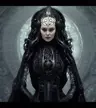

Turn a single concept image into full 4-view (front/left/right/top) renders using Qwen Edit 2511!
This is a workflow using Qwen Edit 2511 to turn your concept art into 3d-rendered turnarounds. It's pretty simple, most of everything is sub-graphed, so you don't have to do much except for upload your image, hit run, and watch it go.
The first step takes your sketch and transforms it into a 3-d rendered image (This is the heavy portion.)
Then it renders out a back, right, and top view. (This part is faster with turbo mode enabled.)
I'm using an 8-step LORA here, but feel free to use a 4-step.
I'll improve the workflow as I go, I'm sure there are things I can add to make the workflow better.
Watch this space for updates!