Sign In

Flux Workflow - Kontext remove anything

Download

1 variant available

Archive Other

[Flux]_Kontext-remover.zip

5.18 KB

Verified:

Type
Workflows
Stats

1,131

Reviews
Published

Jul 24, 2025

Base Model

Flux.1 Kontext

Hash
AutoV2
FEF8BD91E5
default creator card background decoration
Reactions - 2084

2.1K

Followers - 235

235

Likes - 985

985

Knight Badge

The FLUX.1 [dev] Model is licensed by Black Forest Labs. Inc. under the FLUX.1 [dev] Non-Commercial License. Copyright Black Forest Labs. Inc.

IN NO EVENT SHALL BLACK FOREST LABS, INC. BE LIABLE FOR ANY CLAIM, DAMAGES OR OTHER LIABILITY, WHETHER IN AN ACTION OF CONTRACT, TORT OR OTHERWISE, ARISING FROM, OUT OF OR IN CONNECTION WITH USE OF THIS MODEL.

ComfyUI_temp_fvfey_00009_.png

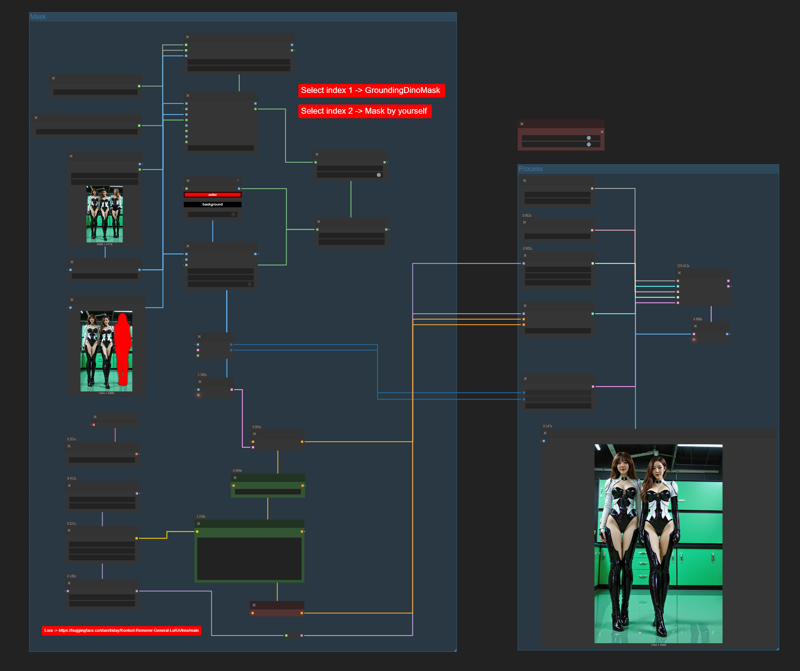
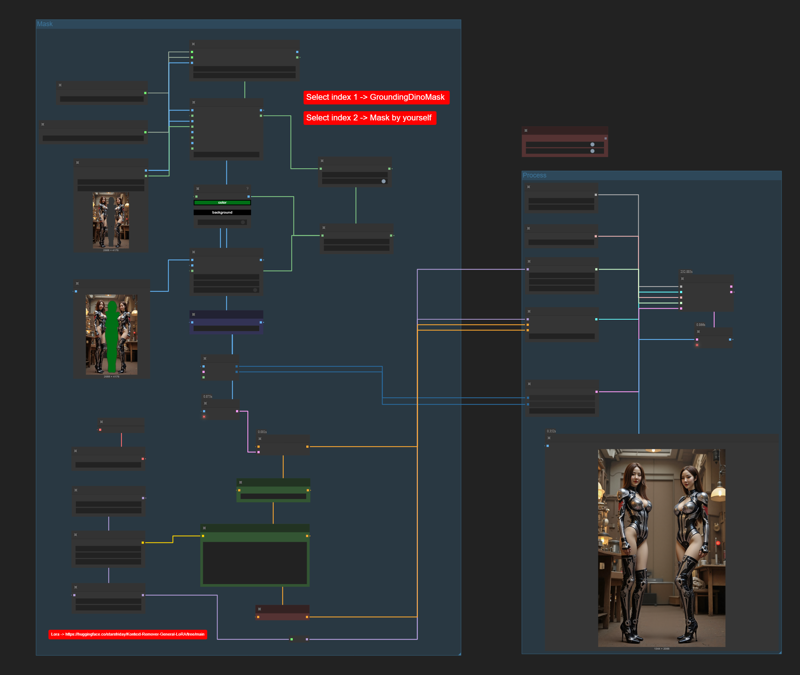
After I created Flux Kontext Workflow that does inpaint & outpaint, this is the next step to remove anything you want from the scene.

This is a very simple workflow but its efficiency is incredible. If you try it and like it, please give me feedback by reviewing or creating images in this workflow, I would appreciate it.

Trick

  • Check your image for any color elements and then adjust the mask color to those that are not in the image to prevent the mistake of removing the wrong place.

  • Node Switch (images, mask) You can switch between AI-powered or manual masking.

  • Don't forget to change the Prompt for deleting the masked color area to match your settings.