Download
1 variant available



Update at 2025-08-29:
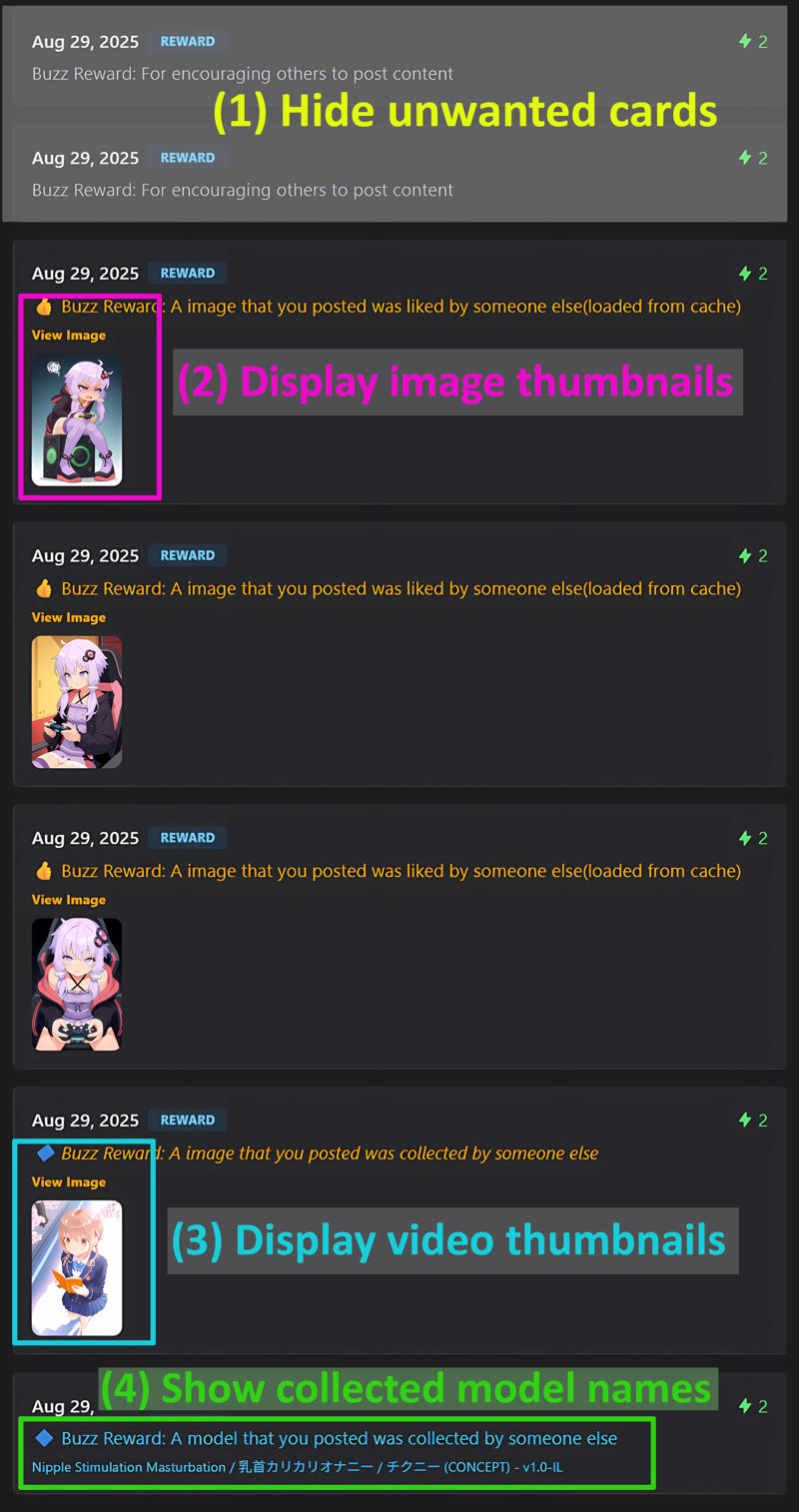
Video thumbnails can now be displayed ! 🎉🎉🎉
Thank you for your report! @magine667
Fixed an issue where image information could not be retrieved correctly when Civitai was busy or the site was unstable, resulting in incorrect display of information.
For some reason, the showcase images are currently flagged as XXX and are under review, so they cannot be viewed.
So, I've attached a showcase image to the main text, so please check it out there.Civitai gives me a badge, If you all vote for the image and this mod. so please vote (lol)
Update at 2025-08-08:
Reflects the Civitai page specifications as of 2025/08/08.
And fix a bug.
Update at 2025-06-29:
🎉🎉🎉Reloading on the transactions page is no longer necessary. 🎉🎉🎉
The script now supports SPA link behavior.
(Important)
Due to changes in the specifications of the Civitai website, events no longer fire unless the page is manually reloaded after navigating to the Transaction page.
I'm not a specialist in web front-end development, so I couldn't figure out how to trigger events after navigating via a link click in an SPA environment.
If you know how to handle this, I would appreciate it if you could let me know.
Description:
This is a UserScript designed to enhance the Transactions page on Civitai.
It works with Tampermonkey on Chromium-based browsers such as Chrome or Brave.
On Firefox, it is expected to work with Greasemonkey.
This UserScript enables the following features:
Changes the default selection on the Transactions page from yellow to blue
Adds color styling and icons to the "Like", "Collect", and "Image Post" text elements to improve visibility.
Hides cards containing specific phrases by specifying NG words
Displays thumbnails on cards for images that were "Liked" or "Collected"
Displays titles on cards for models that were "Collected"
Thumbnails and titles are cached in the browser's storage for one week.
How to Install:
download and install Tampermonkey on your Chromium-based browser(e.g. Chrome).
Extract my MOD zip file. (available this this page)
Open Tampermonkey’s dashboard by clicking the Tampermonkey icon in your browser’s extensions bar.
Drag and drop BlueBuzzTransaction.js into the dashboard.
Confirm the installation when prompted.
You're done!
Showcase: