



Main prompt tags: tummigummixl, anthro, solo, male focus, bear, brown tunic, red cap with feather <----------- should always be included
Additional tags for style choice:
for the retro TV show style add following positive prompts: cartoon, toony, retro
to avoid the retro cartoon style put cartoon, toony, retro into negative prompt
for mixed style only put cartoon into positive prompt
Recommended sampler settings:
Sampler: DPM++ 2M SDE Scheduler: Karras CFG: 7.5 Steps: 25 Lora strength: 1.0
Prompt tips:
- always include the Pony score tags in positive prompts: score_9, score_8_up, score_7_up
- add overweight if Tummi is not generated plump enough
- the base attire consists of tags: brown tunic, red cap with feather, shoulder bag, sash, sandals - add or remove these depending what you want to achieve
- sandals will force full body images so keep that in mind
- for pajama version use: white cap, white pajamas instead of brown tunic
- to remove the hat, simply remove red cap with feather from positive prompt
- vhs filter will give the style even more retro feel closer to the original cartoon
- 4 fingers should help to get the canonical version of Gummi hands
The LoRa should support all kinds of pony/SDXL checkpoints. Tested working well with the following:
AutismMix SDXL
IndigoFurryMix XL v3.0
Luminaverse PonyXL
PrefectPonyXL V3
To improve details:
- use latent upscale (nearest-exact) for higher quality/more details - especially when trying to do full body poses
- for fixing wonky face/eyes I use FaceDetailer node (comfyui) + Adetailer Face finder model
Last image in the gallery can be imported into ComfyUI with a basic workflow: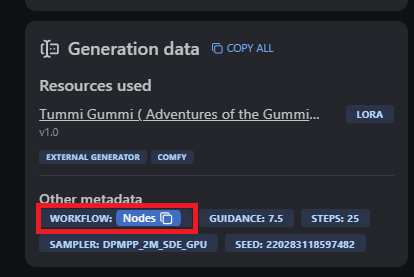 Just Copy&Paste into ComfyUI (you might be required to download missing nodes)